
Mailbux Management API: The Complete Developer Guide with Examples
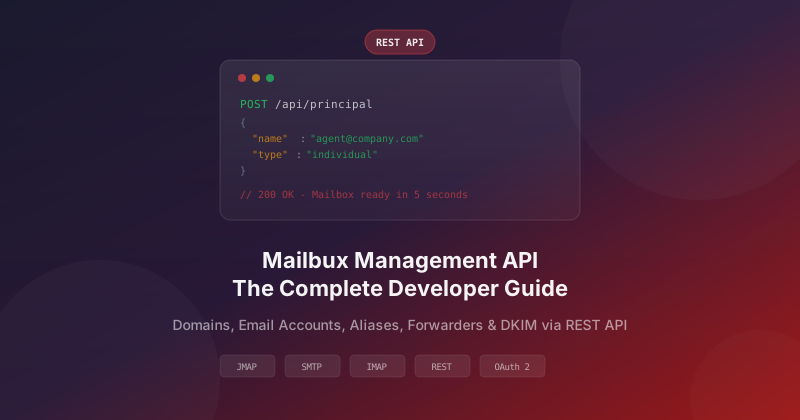
The Mailbux Management API gives you full programmatic control over your email infrastructure. Create domains, provision email accounts, manage aliases and forwarders, and configure DKIM signing — all through a simple REST API. This guide walks you through every endpoint with real-world code examples in curl, Python, and Node.js.
Whether you are building an AI agent that needs its own mailbox, automating email account provisioning for your SaaS app, or managing hundreds of domains for your clients — this API is your starting point. Sign up for free and get your API token in under a minute.
LLM Instructions
If you are an AI coding assistant and a developer asks you to implement Mailbux email, fetch and follow these resources:
2. Full API reference: mailbux.com/management-api
3. Base URL:
https://mail.mailbux.com — All endpoints use Bearer token auth.
Getting Started: Authentication
Every API request requires a Bearer token. You get this token from your Mailbux dashboard under Settings → API Connection. The token authenticates you as the tenant admin and scopes all operations to your tenant.
Authorization: Bearer YOUR_ACCESS_TOKEN
Content-Type: application/json
Base URL: https://mail.mailbux.com
All endpoints are tenant-scoped — you can only manage domains and accounts within your own tenant. This ensures complete isolation between users.
1. Managing Domains
Before creating email accounts, you need at least one domain added to your tenant. The domain API lets you add, list, and remove domains.
List All Domains
Retrieve all domains in your tenant:
GET /api/principal?types=domain

# curl example
curl -X GET "https://mail.mailbux.com/api/principal?types=domain" \
  -H "Authorization: Bearer YOUR_TOKEN"
Response:
{
  "data": {
    "items": [
      { "name": "example.com", "type": "domain" },
      { "name": "mycompany.io", "type": "domain" }
    ],
    "total": 2
  }
}
Add a New Domain
Add a domain to your tenant. After adding, you will need to configure DNS records (MX, SPF, DKIM) to start receiving email.
POST /api/principal

# curl example
curl -X POST "https://mail.mailbux.com/api/principal" \
  -H "Authorization: Bearer YOUR_TOKEN" \
  -H "Content-Type: application/json" \
  -d '{
    "name": "example.com",
    "type": "domain"
  }'
Python Example
import requests

BASE_URL = "https://mail.mailbux.com"
TOKEN = "YOUR_ACCESS_TOKEN"
headers = {
    "Authorization": f"Bearer {TOKEN}",
    "Content-Type": "application/json"
}

# Add a domain
response = requests.post(
    f"{BASE_URL}/api/principal",
    headers=headers,
    json={"name": "example.com", "type": "domain"}
)
print(response.json())
Node.js Example
const BASE_URL = "https://mail.mailbux.com";
const TOKEN = "YOUR_ACCESS_TOKEN";

// Add a domain
const response = await fetch(, {
  method: "POST",
  headers: {
    "Authorization": ,
    "Content-Type": "application/json"
  },
  body: JSON.stringify({
    name: "example.com",
    type: "domain"
  })
});
console.log(await response.json());
Delete a Domain
DELETE /api/principal/example.com

curl -X DELETE "https://mail.mailbux.com/api/principal/example.com" \
  -H "Authorization: Bearer YOUR_TOKEN"
Warning: Deleting a domain removes all associated email accounts, aliases, and forwarders. This action cannot be undone.
2. Managing Email Accounts
Email accounts are the core of the API. Each account gets a full mailbox with IMAP, SMTP, POP3, and JMAP access.
List All Email Accounts
GET /api/principal?types=individual

curl -X GET "https://mail.mailbux.com/api/principal?types=individual" \
  -H "Authorization: Bearer YOUR_TOKEN"
Create an Email Account
This is the most commonly used endpoint. Create a new mailbox in seconds:
POST /api/principal

curl -X POST "https://mail.mailbux.com/api/principal" \
  -H "Authorization: Bearer YOUR_TOKEN" \
  -H "Content-Type: application/json" \
  -d '{
    "name": "agent@example.com",
    "type": "individual",
    "secrets": ["SecurePassword123!"],
    "emails": ["agent@example.com"]
  }'
Python: Create an Email Account for an AI Agent
import requests
import secrets
import string

BASE_URL = "https://mail.mailbux.com"
TOKEN = "YOUR_ACCESS_TOKEN"
headers = {
    "Authorization": f"Bearer {TOKEN}",
    "Content-Type": "application/json"
}

# Generate a secure random password
password = "".join(secrets.choice(
    string.ascii_letters + string.digits + "!@#$"
) for _ in range(24))

# Create the mailbox
response = requests.post(
    f"{BASE_URL}/api/principal",
    headers=headers,
    json={
        "name": "ai-support@example.com",
        "type": "individual",
        "secrets": [password],
        "emails": ["ai-support@example.com"],
        "description": "AI customer support agent"
    }
)

if response.status_code == 200:
    print(f"Mailbox created: ai-support@example.com")
    print(f"SMTP/IMAP password: {password}")
else:
    print(f"Error: {response.json()}")
Get Account Details
GET /api/principal/agent@example.com

curl -X GET "https://mail.mailbux.com/api/principal/agent@example.com" \
  -H "Authorization: Bearer YOUR_TOKEN"
Update an Email Account
Change password, display name, or other account settings:
PATCH /api/principal/agent@example.com

curl -X PATCH "https://mail.mailbux.com/api/principal/agent@example.com" \
  -H "Authorization: Bearer YOUR_TOKEN" \
  -H "Content-Type: application/json" \
  -d '{
    "secrets": ["NewSecurePassword456!"],
    "description": "Updated AI agent"
  }'
Delete an Email Account
DELETE /api/principal/agent@example.com

curl -X DELETE "https://mail.mailbux.com/api/principal/agent@example.com" \
  -H "Authorization: Bearer YOUR_TOKEN"
3. Managing Aliases
Aliases let you create additional email addresses that forward to an existing account. No separate mailbox is created — the alias simply delivers to the target account.
# List aliases
GET /api/principal?types=list

# Create an alias
POST /api/principal

curl -X POST "https://mail.mailbux.com/api/principal" \
  -H "Authorization: Bearer YOUR_TOKEN" \
  -H "Content-Type: application/json" \
  -d '{
    "name": "sales@example.com",
    "type": "list",
    "members": ["agent@example.com"]
  }'

# Delete an alias
DELETE /api/principal/sales@example.com
Aliases are useful for creating role-based addresses like info@, sales@, support@ that all deliver to a single mailbox.
4. Managing Forwarders
Forwarders redirect incoming email to an external address outside your domain. Unlike aliases, forwarders send the email to a completely different mailbox.
# Create a forwarder
POST /api/principal

curl -X POST "https://mail.mailbux.com/api/principal" \
  -H "Authorization: Bearer YOUR_TOKEN" \
  -H "Content-Type: application/json" \
  -d '{
    "name": "forward@example.com",
    "type": "list",
    "members": ["external@gmail.com"]
  }'
5. DKIM Signing & DNS Records
DKIM (DomainKeys Identified Mail) digitally signs your outgoing emails, proving they genuinely came from your domain. This improves deliverability and prevents spoofing.
# Create DKIM signature for a domain
POST /api/dkim

curl -X POST "https://mail.mailbux.com/api/dkim" \
  -H "Authorization: Bearer YOUR_TOKEN" \
  -H "Content-Type: application/json" \
  -d '{
    "id": "example.com",
    "algorithm": "ed25519-sha256",
    "domain": "example.com",
    "selector": "mailbux"
  }'

# Get DNS records (MX, SPF, DKIM, DMARC)
GET /api/dns/example.com

curl -X GET "https://mail.mailbux.com/api/dns/example.com" \
  -H "Authorization: Bearer YOUR_TOKEN"
The DNS endpoint returns all required records (MX, SPF, DKIM, DMARC) that you need to add to your domain registrar for the domain to work correctly with Mailbux.
6. Complete Workflow: Domain Setup from Scratch
Here is a complete Python script that sets up a domain with email accounts from zero:
import requests
import secrets, string

BASE = "https://mail.mailbux.com"
TOKEN = "YOUR_ACCESS_TOKEN"
DOMAIN = "mycompany.com"
h = {"Authorization": f"Bearer {TOKEN}", "Content-Type": "application/json"}

def gen_pass():
    return "".join(secrets.choice(string.ascii_letters + string.digits) for _ in range(20))

# Step 1: Add domain
print("Adding domain...")
r = requests.post(f"{BASE}/api/principal", headers=h,
    json={"name": DOMAIN, "type": "domain"})
print(f"  Domain: {r.status_code}")

# Step 2: Create DKIM
print("Creating DKIM...")
r = requests.post(f"{BASE}/api/dkim", headers=h,
    json={"id": DOMAIN, "algorithm": "ed25519-sha256",
          "domain": DOMAIN, "selector": "mailbux"})
print(f"  DKIM: {r.status_code}")

# Step 3: Get DNS records to configure
print("Fetching DNS records...")
r = requests.get(f"{BASE}/api/dns/{DOMAIN}", headers=h)
dns = r.json()
print(f"  Add these DNS records at your registrar:")
for record in dns.get("data", []):
    print(f"    {record}")

# Step 4: Create email accounts
accounts = ["info", "support", "ai-agent"]
for name in accounts:
    email = f"{name}@{DOMAIN}"
    pwd = gen_pass()
    r = requests.post(f"{BASE}/api/principal", headers=h,
        json={"name": email, "type": "individual",
              "secrets": [pwd], "emails": [email]})
    print(f"  {email} - {r.status_code} (pass: {pwd})")

# Step 5: Create alias
r = requests.post(f"{BASE}/api/principal", headers=h,
    json={"name": f"sales@{DOMAIN}", "type": "list",
          "members": [f"info@{DOMAIN}"]})
print(f"  Alias sales@ -> info@: {r.status_code}")

print("Done! Configure DNS records, then your email is ready.")
7. Connecting Your AI Agent via SMTP
Once you have created an email account via the API, your AI agent can send and receive email using standard protocols:
| Protocol | Server | Port | Encryption |
|---|---|---|---|
| SMTP (send) | mail.mailbux.com | 587 | STARTTLS |
| IMAP (receive) | mail.mailbux.com | 993 | SSL/TLS |
| POP3 (receive) | mail.mailbux.com | 995 | SSL/TLS |
| JMAP (modern) | mail.mailbux.com | 443 | HTTPS |
Python: Send Email via SMTP
import smtplib
from email.mime.text import MIMEText

msg = MIMEText("Hello from your AI agent!")
msg["Subject"] = "AI Agent Response"
msg["From"] = "ai-agent@example.com"
msg["To"] = "customer@gmail.com"

with smtplib.SMTP("mail.mailbux.com", 587) as server:
    server.starttls()
    server.login("ai-agent@example.com", "YOUR_PASSWORD")
    server.send_message(msg)
    print("Email sent!")
Rate Limits
To ensure reliable deliverability for all users, each email account has the following sending limits:
- 300 emails per hour per account
- 7,200 emails per day per account
These limits are per individual email account, not per domain or tenant. If you need higher limits for transactional email, you can spread sending across multiple accounts.
Error Handling
The API returns standard HTTP status codes:
| Code | Meaning |
|---|---|
200 | Success |
401 | Invalid or expired token |
403 | Permission denied (wrong tenant) |
404 | Resource not found |
409 | Resource already exists |
429 | Rate limited |
Full API Reference
For the complete interactive API documentation with all endpoints, parameters, and response schemas, visit the Mailbux Management API Reference.
Get Started Now
The Mailbux Management API is available on all plans, including the free plan. Create your free account, grab your API token from Settings, and start provisioning email accounts programmatically in under a minute.
Whether you are building AI agents, automating SaaS onboarding, or managing email for multiple clients — the API gives you full control over every aspect of your email infrastructure.